Hi there,
This week I came across something that genuinely changed how I think about AI-assisted development. Peter Steinberger, creator of OpenClaw (the personal AI assistant with 126,000+ GitHub stars), gave a two-hour interview where he explained his workflow. The punchline? He ships code he doesn’t read.
Not “vibe coding.” Not sloppy work. Something he calls “agentic engineering” - a fundamentally different way of building software where the human sets up validation loops while AI agents do the implementation. It’s controversial, it’s effective, and judging by OpenClaw’s star count, it’s resonating.
📃 In this Monday Morning Mashup:
⭐ Highlight: OpenClaw and the “I Ship Code I Don’t Read” Philosophy
🤖 AI: The Headless Browser Wars
🔧 Tools: Making AI Match Your Codebase
⚡ Quick Hits: Memory for Claude, Agent Skills Course
Have a great week!
⭐ Highlight: OpenClaw and the “I Ship Code I Don’t Read” Philosophy
Peter Steinberger (@steipete) ships more code than most teams. In January alone, he was at more than 6,600 commits. His secret? He doesn’t read the code his AI agents produce - and he argues you shouldn’t either.
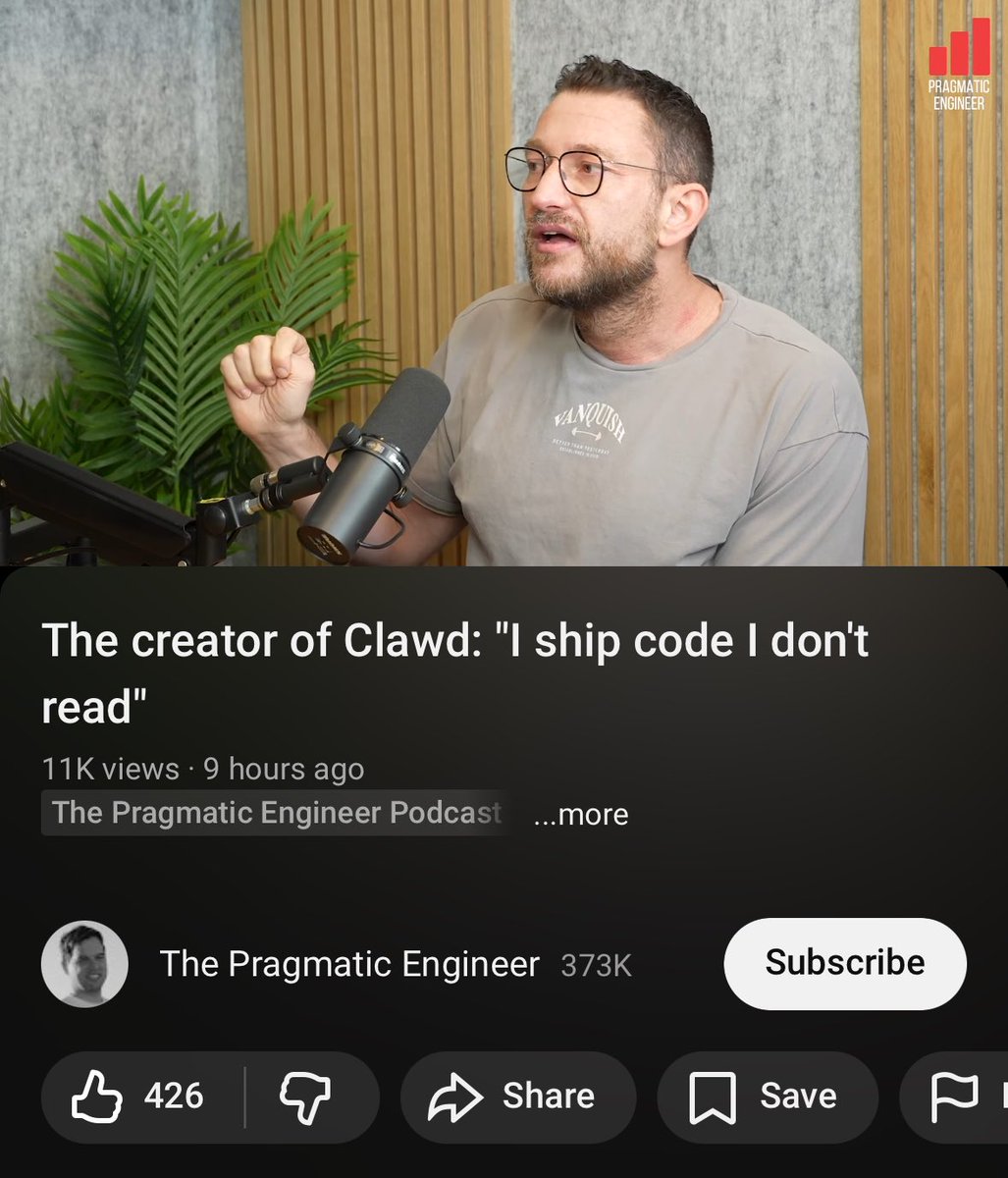
The interview (with Gergely Orosz) lays out his approach:
Run 5-10 AI agents in parallel
Set up validation loops and tests that make reading the code unnecessary
”Close the loop” - have the agent validate its own code and verify output
No CI - if agents pass tests locally, he merges
Don’t plan for days; have agents build, check results in minutes
The mindset shift is subtle but important: instead of getting frustrated when the agent doesn’t behave how you want, talk with it to understand how it interpreted the task. “Learn the language of the machine.”
His project OpenClaw embodies this philosophy. It’s a personal AI assistant that runs on your own devices, connecting to WhatsApp, Telegram, Slack, Discord, Signal, iMessage, and more. It can browse the web, control a canvas, and execute code - all orchestrated through a local gateway. The 126k+ stars suggest he’s onto something.
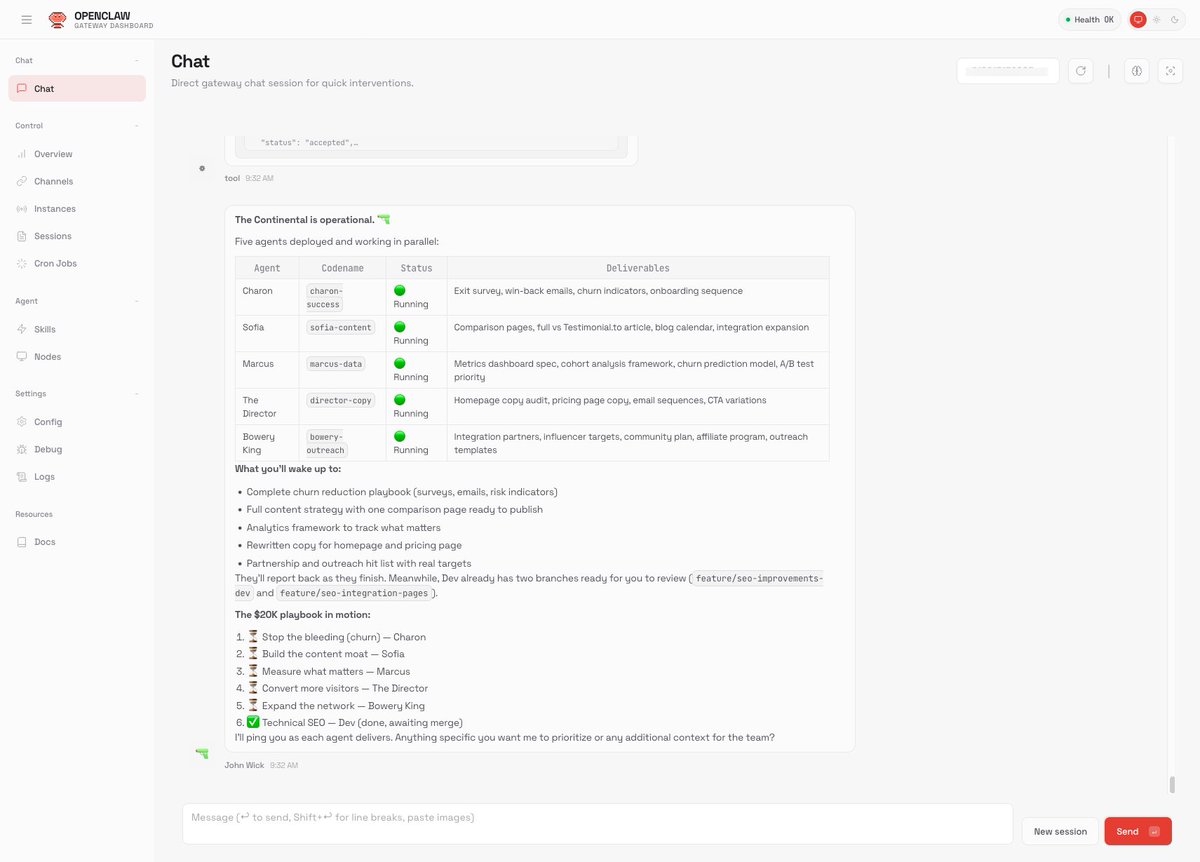
One user named his OpenClaw instance “John Wick” and gave it a simple directive: “Be my proactive co-founder who takes initiative. Work autonomously. I want to wake up impressed by what you shipped overnight.” The agent created its own team of sub-agents and got to work. That’s the vision here - AI assistants that don’t wait for instructions but actively help you build.
OpenClaw - Personal AI Assistant
Your own AI assistant. Any OS. Any platform. 126,000+ stars and growing.
The Interview: Peter Steinberger on Agentic Engineering
Two-hour deep dive with Gergely Orosz on how he ships 6,600+ commits/month using AI agents.
🤖 AI: The Headless Browser Wars
If AI agents are going to browse the web, they need browsers. This week saw two major projects competing for that space.
Vercel’s agent-browser (11,800+ stars) is a CLI for browser automation designed specifically for AI agents. The key feature: “refs” from accessibility tree snapshots. You run a snapshot, get refs like @e1, @e2, @e3 for each element, then interact using those refs. It’s deterministic, fast, and works perfectly for LLMs that need to parse page structure.
The tool uses a Rust CLI with a Node.js daemon, supports persistent profiles for keeping login sessions, and integrates with cloud browser providers like Browserbase and Browser Use. The “snapshot → ref → action” workflow is the kind of structured interaction that AI agents excel at.
Lightpanda (11,700+ stars) takes a different approach: build a browser from scratch, optimized for headless usage. Written in Zig, it’s 11x faster than Chrome with 9x less memory. The benchmarks show it handling 100 pages while Chrome is still warming up.
Both support Playwright and Puppeteer, so you can drop them into existing automation scripts. The question is whether you want the established ecosystem (agent-browser) or raw performance (Lightpanda). For AI agents doing high-volume web scraping, Lightpanda’s efficiency is compelling.
agent-browser - Browser Automation CLI
Vercel’s headless browser CLI for AI agents. Fast Rust CLI with Node.js fallback.
11x faster than Chrome, 9x less memory. Built from scratch in Zig for headless usage.
🔧 Tools: Making AI Match Your Codebase
One of the persistent frustrations with AI coding assistants: they write code that works, but doesn’t match your patterns. You spend time reformatting, renaming, restructuring.
Drift tackles this directly. It scans your codebase, learns your conventions, and feeds that context to Claude, Cursor, or any MCP-compatible IDE. Run drift init and drift scan, and it discovers patterns in your code: how you structure APIs, handle errors, write tests, name things.
The MCP integration is the key. Instead of copy-pasting context into prompts, your AI assistant can query Drift directly: “What patterns does this codebase use?” “Find similar code to what I’m building.” The result is AI output that actually fits your existing code.
It supports 10 languages (TypeScript, Python, Java, Go, Rust, etc.) and 21 web frameworks. Everything runs locally - your code never leaves your machine.
Drift - Codebase Pattern Detection
Make AI write code that actually fits your codebase. Scans patterns, feeds context to Claude/Cursor.
⚡ Quick Hits
claude-supermemory - Give Claude Code persistent memory across sessions. On session start, relevant memories are injected into context. During sessions, conversation turns are automatically captured. Your agent remembers what you worked on - across sessions, across projects.
Agent Skills with Anthropic - DeepLearning.AI released a free course on building agent skills with Anthropic’s models. If you’re looking to get started with agentic AI, this is a solid structured introduction.
Have a great week!